Building an Escape Room with Trafikverket
A university collaboration on developing an escape room experience for Trafikverket.

Adrian

Explore its source code:
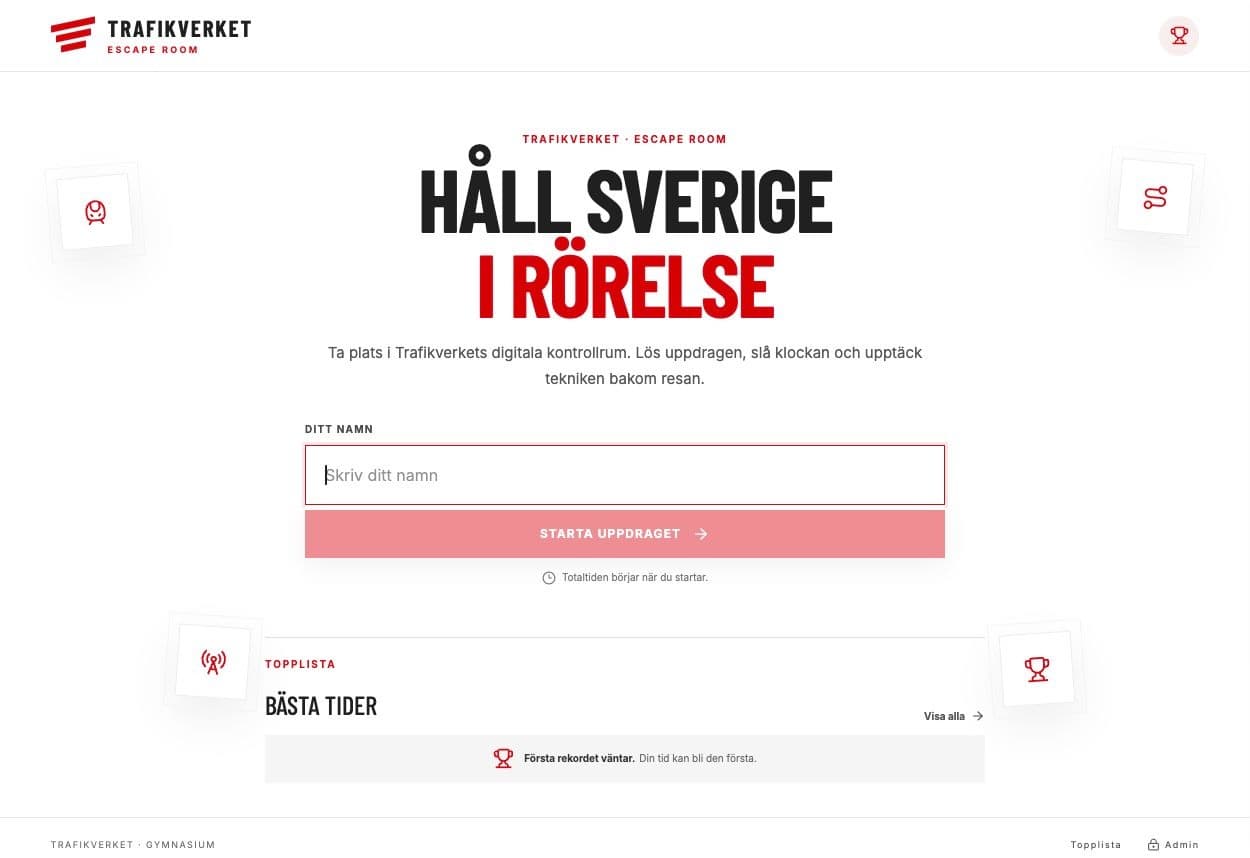
In spring 2026, my classmates and I built a digital escape room with Trafikverket as part of a university project. The idea was to engage students at fairs through short games and quizzes connected to Trafikverket's work.
We split into two groups. One for higher-education students and one for upper-secondary students. I was responsible for coding parts of the gymnasium experience, using React and C#/.NET.
What I worked on
- Game flow: React components and backend integration between stages.
- Timing: a shared
useGameTimerhook and penalties for incorrect answers. - Session checks: keeping players in the intended sequence of games.
- Administration: a Smart Editor for sorting-game content and an image gallery with upload, delete, and copy-link features.
Two details from the code
After the course, I continued developing the gymnasium experience separately. These examples come from that later version.
Keeping the result on the server
The original project used browser-based session checks. In the redevelopment, the backend calculates the final time, elapsed time, minus pauses, plus penalties.
private static long CalculateElapsedMilliseconds(
    GameSession session, DateTimeOffset now)
{
    var end = session.CompletedAtUtc ?? now;
    var pausedMilliseconds = session.TotalPausedMilliseconds;
    if (session.PausedAtUtc is { } pausedAt)
    {
        pausedMilliseconds += Math.Max(
            0, (long)(end - pausedAt).TotalMilliseconds);
    }

    var totalMilliseconds = (long)(end - session.StartedAtUtc).TotalMilliseconds;
    return Math.Max(0,
        totalMilliseconds - pausedMilliseconds + session.TotalPenaltyMilliseconds);
}
This keeps the recorded result independent of the timer displayed in the browser.
Making time pressure visible
A small frontend helper changes the countdown's visual state as time runs out. The same thresholds can be reused wherever the timer appears.
export function timerTone(remaining: number, total: number) {
  const ratio = total > 0 ? remaining / total : 0;
  if (ratio <= 0.2) return "danger";
  if (ratio <= 0.5) return "warning";
  return "safe";
}
What the project taught me
We used Trello for tasks, Miro for game flows, and Zoom for shared debugging. Client feedback shaped our decisions, including replacing a planned mini game with a traffic-light-based challenge.
The hardest part was coordinating the two groups when their work came together. Next time, I would use shorter, more frequent check-ins and document shared decisions earlier.
We demonstrated the application with Trafikverket present and received positive feedback. Seeing our separate pieces work together was the highlight and a reminder that communication matters just as much as the code.